One tap to begin
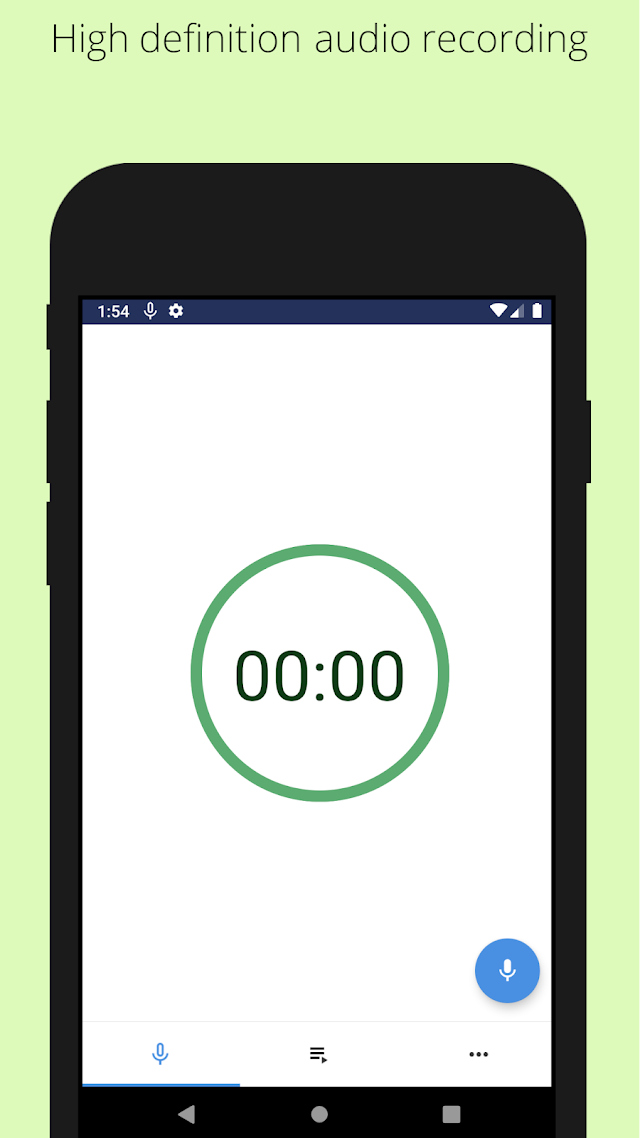
Start a voice recording and continue while using other apps. Capture a reminder, an interview or a lecture without staying on the recorder screen.
 ChillPixel
 Background Voice RecorderBY CHILLPIXEL · FOR ANDROID
LESS FRICTION. MORE LISTENING.
Save voice notes, lectures, meetings and interviews. Start with a tap, and stay in the moment.
Get it on Google PlayContains ads · In-app purchases
MADE FOR EVERYDAY RECORDING
Start a voice recording and continue while using other apps. Capture a reminder, an interview or a lecture without staying on the recorder screen.
Choose Off, Standard or Studio noise reduction. Studio processing runs on your device to reduce background noise and help make speech clearer.
Use supported volume-button, power-button or shake shortcuts. The latest listed release also includes a Quick Settings tile and a notification Stop button.
Choose a start time and recording duration, or continue while storage allows. Recording stops automatically when storage runs low.
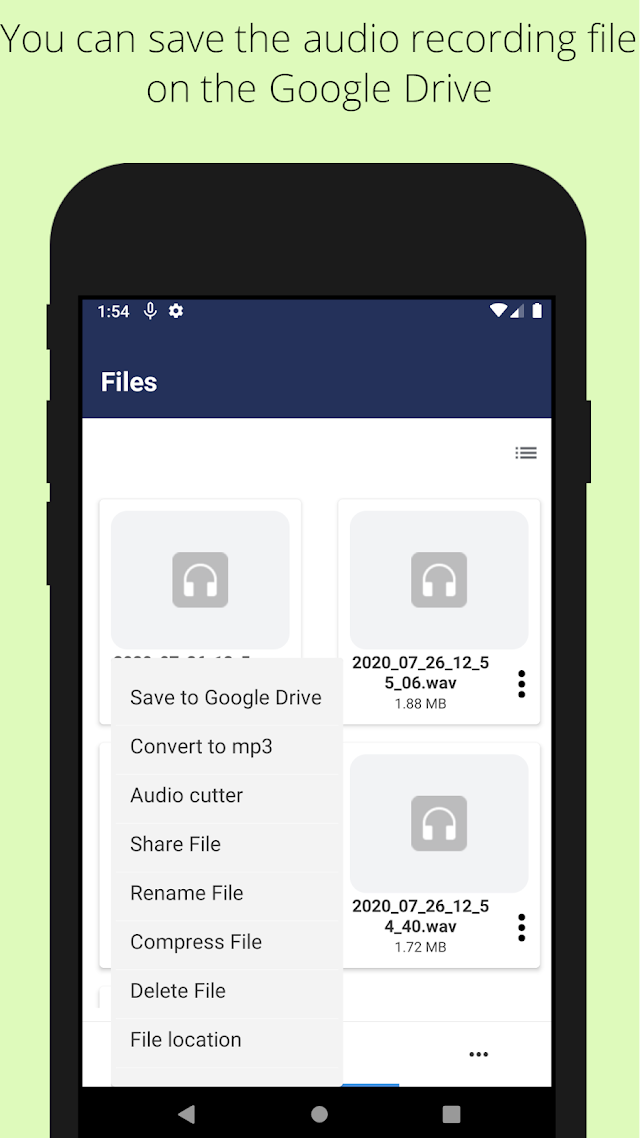
Cut audio down to the part you need, share it with another app or upload it to Google Drive. Manage and delete recordings from one place.
Set recording quality, protect access with a password and choose from supported languages. An optional paid purchase removes ads.
Material Design interface · Background recording · On-device Studio processing · Optional ad removal
KEEP GETTING MORE FROM YOUR APP
Latest update listed: September 24, 2026
A FEW USEFUL DETAILS
Record responsibly and obtain permission where required.
Yes. The app supports recording while you use other apps. Available duration depends on your storage and device behavior.
The Google Play listing states that Studio noise reduction processes audio on your device.
The current listing describes a 30-day recycle bin, available under More → Recycle bin.
Shortcut availability varies by device, Android version and enabled settings. Check your app settings to choose the controls you want.
Email getnahid2@gmail.com. Read the privacy policy and terms and conditions.
Android · Contains ads · In-app purchases