A timeline that tells your story
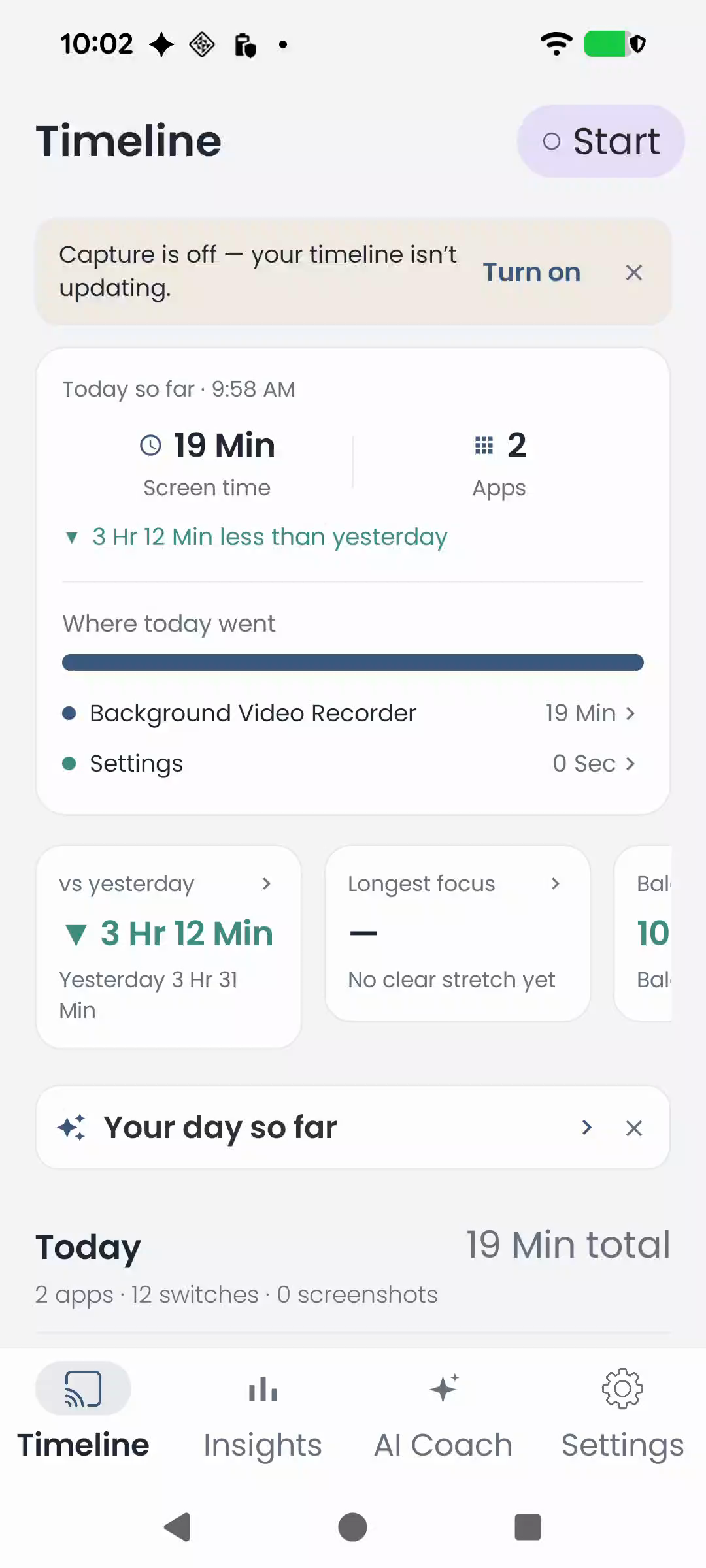
See app activity in chronological order. Revisit your day with the context that a single screen-time total can miss.
 ChillPixel
 Screen JourneyBY CHILLPIXEL · FOR ANDROID
MAKE SENSE OF YOUR SCREEN TIME
A visual timeline of your digital life. Understand your habits, revisit meaningful moments, and make more intentional choices.
Get it on Google PlayFree to download · Optional in-app purchases
FROM SCREEN TIME TO SELF-AWARENESS
See app activity in chronological order. Revisit your day with the context that a single screen-time total can miss.
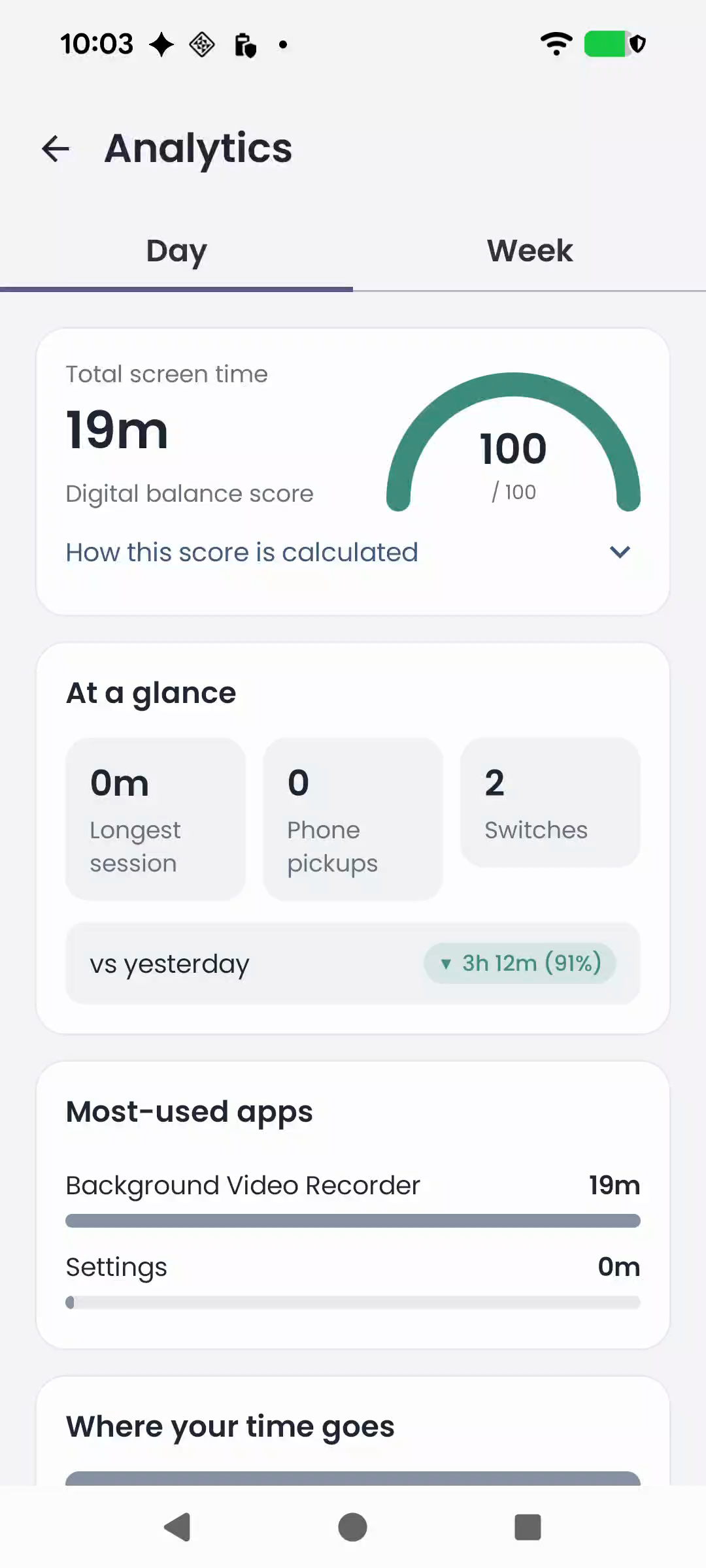
Explore screen time, focus streaks, habits and a daily balance score. Compare your days and see where your attention goes.
Add notes and organise topics around timeline sessions, so meaningful activity is easier to find again.
Choose whether to capture periodic screenshots. Android asks for screen-capture permission, and images stay in the app’s private on-device storage.
Enable Cloud AI for titles, descriptions, categories and daily or weekly summaries. Redacted or OCR-derived content is sent only when you choose this feature.
Optionally save your timeline, notes and topics to your own Google Drive. Screenshot images are excluded from Drive backups.
NOTICE THE PATTERNS
See your most-used apps, compare today with yesterday, and explore how your habits change over time.
Use optional AI Coach summaries to reflect on your daily and weekly screen habits.
Explore Screen JourneyTAKE A QUICK LOOK
See the Timeline and Insights in action.
App footage with AI-generated narration. English captions available.
YOU CHOOSE WHAT TO ENABLE
Screenshot capture requires your permission. OCR and sensitive-content detection run on your phone.
Cloud AI and Drive backup are separate choices. Turn either on or off in Settings, and delete local data inside the app.
No. Cloud AI is optional and controlled separately in Settings. Screenshot OCR and sensitive-content detection run locally on your device.
No. Drive backups contain timeline data, notes and topics. Screenshot images remain in private storage on your device.
Pro expands AI usage and includes additional premium capabilities. Check the in-app upgrade screen for current plans, prices and eligibility for any trial.
You can delete local data inside the app. For associated cloud account data, use the public account-deletion page linked below.
The current Google Play listing requires Android 7.1 or later. Google Play will confirm compatibility for your device.
Android 7.1+ · Optional in-app purchases